What Arena360 does, group by group.
Arena360 runs the counter and the floor of a game zone. Here is what it does, group by group, and what you can switch on.
From ₹499 a month, plus GST
Free for 14 days. A card or UPI is needed to start. Cancel before day 15 and pay nothing.
Counter and sessions
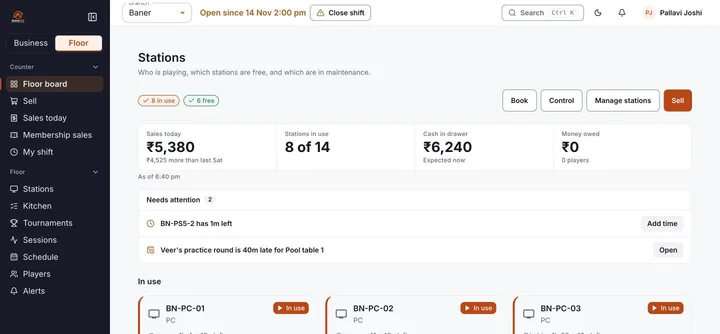
Start a session in a few taps
Start, pause and end a session at the counter, so every minute a player sits is billed.
In every Plan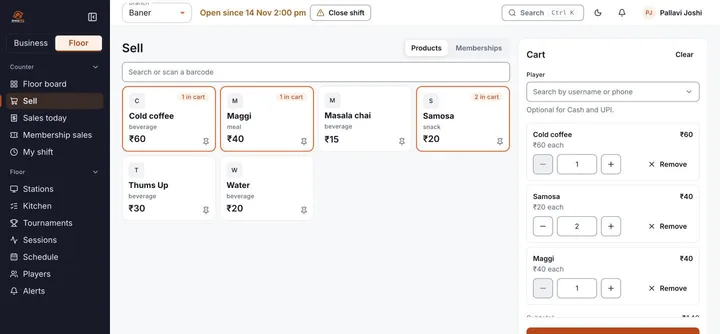
Sell snacks and drinks at the counter
Bill snacks, drinks and playing time in one payment, so nothing is rung up twice or forgotten.
In every Plan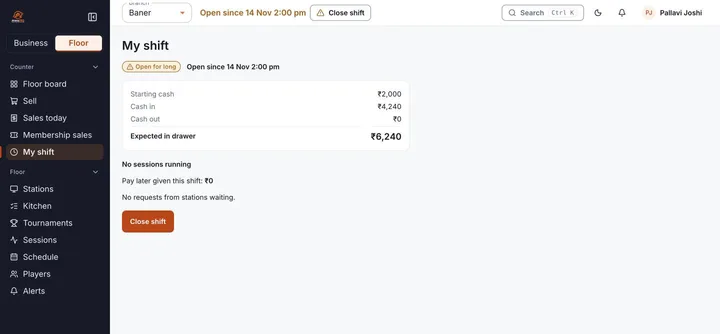
Close the shift and check the drawer
Count the cash at the end of a shift and see whether it matches the sales.
In every Plan
PC Stations
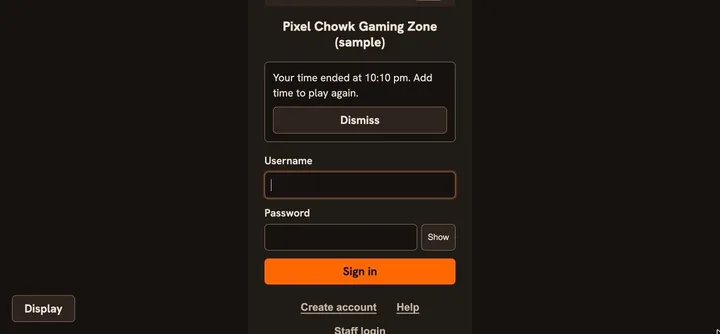
A PC locks when paid time ends
The PC locks itself when the paid time is over, so nobody plays on for free.
In every Plan- An alert on the owner's phone saying a PC is busy with no session running
Know when a busy PC has no session
Your phone gets a message when a PC is busy but no session is running, so a free hour does not slip by.
In Growth and Pro - The floor board with several stations chosen and the station control menu open
Control stations from the counter
Lock, message, restart or shut down a PC from the floor board, one at a time or the whole floor at closing.
In every Plan
Consoles and TV
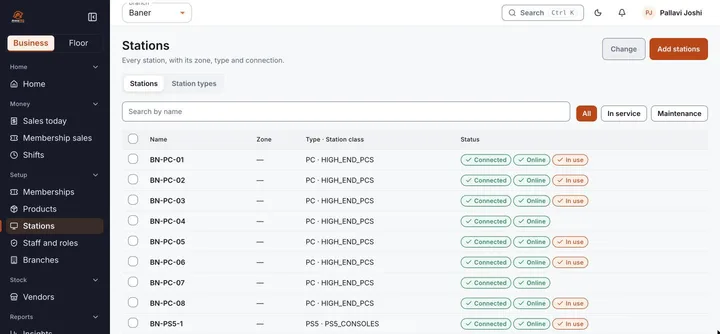
Consoles on the same floor with time left
Consoles sit on the same floor board as your PCs, each with its time left.
In every Plan- The Arena360 TV app on a TV beside a PS5, showing the session's time left
The console TV app
The console TV app shows each console its own time on a TV.
In every Plan
Turf, tables and bookings
- The floor board with a turf and a pool table each showing a stopwatch
Turf, pool and tables run by staff
Time turf, pool tables and consoles without an app from the floor board, billed like any station.
In every Plan 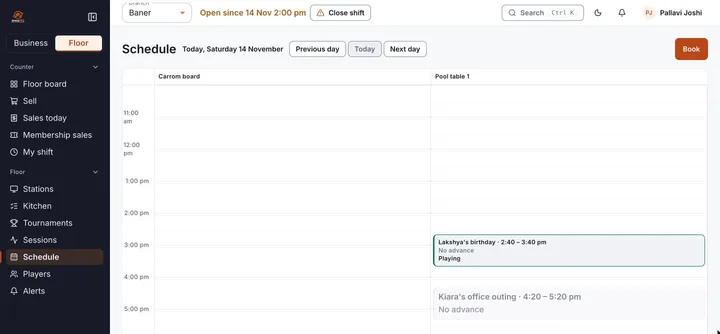
Take bookings for a station
Book a station for a group at a set time, and start the session from the booking when they arrive.
In every Plan
Memberships and pricing
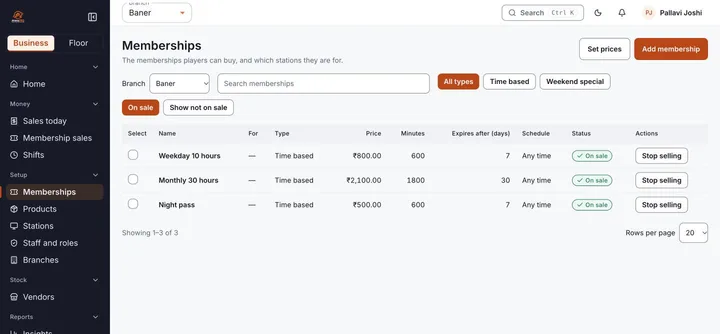
Sell memberships at the counter
Sell a pack of hours or a monthly pass and let it run down as the player plays.
In every Plan- The Busy and quiet hours page with a weekend evening rule and its preview timeline
Charge more at busy hours
Set a higher rate for the hours the floor is full, and leave the rest of the day alone.
In Pro - The promotions list with a student offer and a festival code
Promotions and codes
Run offers like student hours or a festival bonus, with codes and limits, and see what each one brought in.
In every Plan
Stock and money
- The Inventory page with each product's count in stock at this branch
Count the stock on your shelf
See what is on the shelf and what has run out, so a snack is not sold twice or missed.
In Growth and Pro - The Money owed page listing players who pay later and how much each owes
Let regulars pay later
A regular plays now and settles later, with a limit for each player.
In Growth and Pro 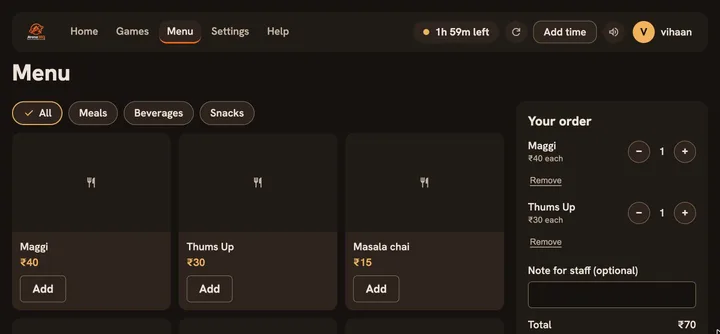
Food orders from the PC
A player orders a snack from the PC and the counter sees it, so nobody walks up to ask.
In Growth and Pro- The Expenses page with rent, electricity and snacks for the month by category
Write down what you spend
Note what the game zone spends, so the money you keep is clear at the end of the month.
In Growth and Pro - An alert on the owner's phone about a drawer that came up short at shift close
Catch money that goes missing
Get told when the drawer, a discount or a free session does not add up, so a small loss is stopped before it becomes a habit.
In Growth and Pro - The kitchen screen with open tickets from the counter and from stations
Kitchen screen and KOT
Food sold at the counter or ordered from a station goes straight to the kitchen as a ticket.
In Pro
Staff and Branches
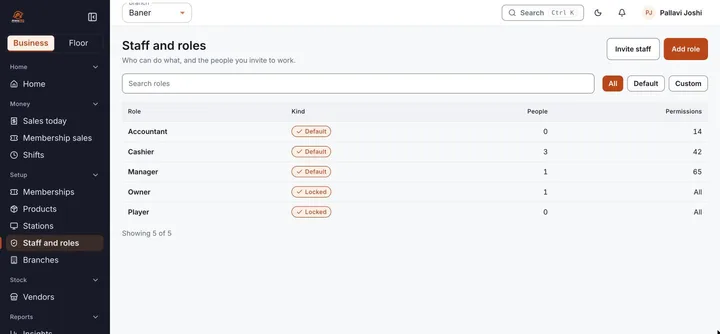
Give each person the right access
Counter staff sell and start sessions, while the Owner and the manager set prices and see the reports.
In every Plan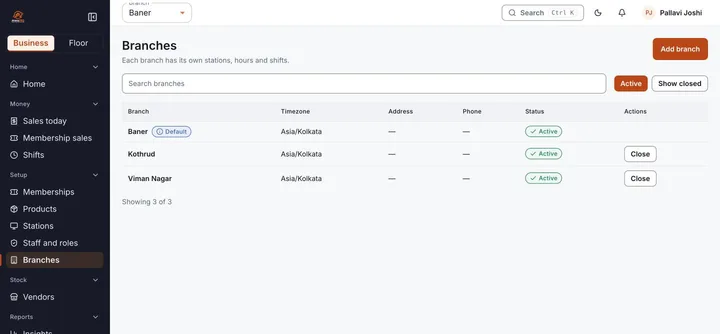
Run more than one Branch
Keep each Branch with its own floor, staff and sales, under one Owner login.
In Growth and Pro- The staff free time setting with the number of days it repeats every
Give staff free playing time
Give each person on staff free playing time each period, counted like any membership.
In every Plan - The Sell page of the admin panel in Hindi
The admin panel in Hindi
Each person picks Hindi or English for the admin panel, so counter staff work in the language they read best.
In every Plan
Reports
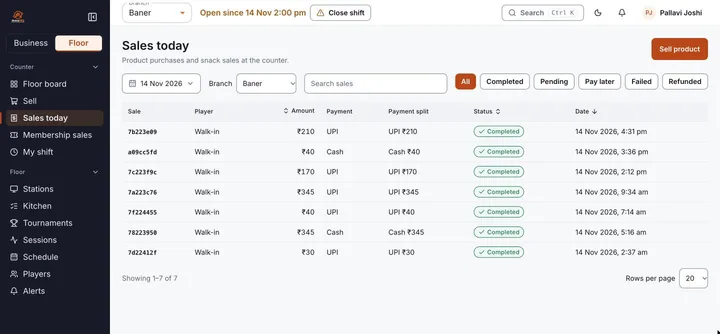
See what you sold
See each day of sales by item and by person, so you know what sells.
In every Plan- Two branches of the sample game zone compared side by side
Reports for each Branch
See each Branch on its own and set the Branches side by side.
In Pro - The analytics page with a takings chart and an hour-by-weekday heatmap
Charts, trends and insights
See your takings, busiest hours, station use and returning players as charts, with plain insights on what to change.
In Pro
Know your numbers
Am I making money this month?
In Growth and ProWhen does this PC pay for itself?
In every PlanWhen should I replace PCs?
In every PlanWhich snacks earn, sit or expire?
In Growth and ProIs the new Branch doing better?
In ProWhich hours are dead?
In every Plan
What a player gets
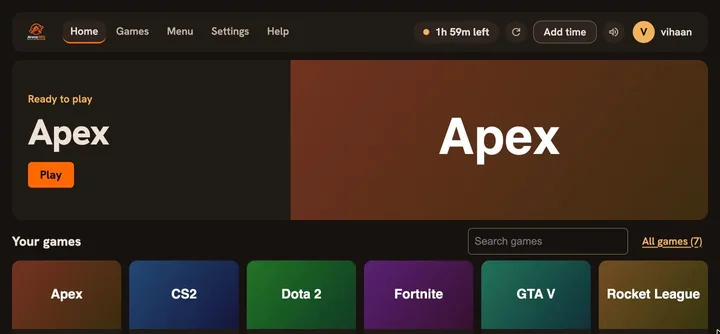
See the time left on the PC
The player sees the minutes left on the PC screen, so time-up is never a surprise.
In every Plan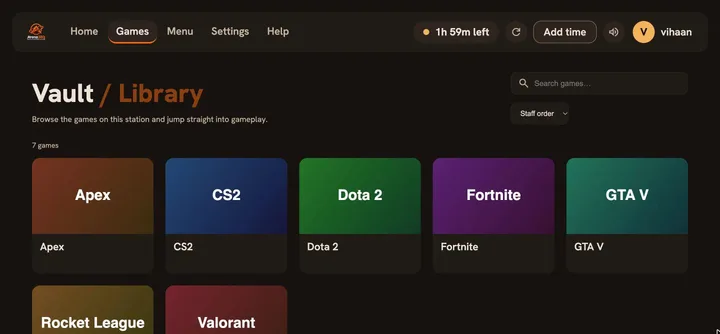
Open a game from one screen
The player picks an installed game from one library, with no staff to ask.
In every Plan- A knockout bracket with match results for a sample tournament
Run tournaments
Run a knockout tournament with paid entries, stations held for its matches and a bracket everyone can follow.
In Pro - The station app showing a player's points and the weekly leaderboard
Loyalty points and leaderboards
Players earn points on what they pay and climb leaderboards, so they have a reason to come back.
In Pro
Turn on what you need
A small game zone can ignore the switches it does not need.
GST on receipts
Receipts show the GST on each sale, once you turn it on.
In every PlanPay later
Let a regular play now and pay later, with a limit for each player.
In Growth and ProSurge pricing
Charge more for the busiest hours, once you turn it on.
In Pro
Try it in your own game zone, free for 14 days.
From ₹499 a month, plus GST
Free for 14 days. A card or UPI is needed to start. Cancel before day 15 and pay nothing.