Consoles on the same floor with time left
PS5s, Xboxes and PCs share one floor board. Every console shows its time left, like any PC.
From ₹499 a month, plus GST
Free for 14 days. A card or UPI is needed to start. Cancel before day 15 and pay nothing.
The problem
Consoles are often run on a separate notebook, so their hours never reach the same report as the PCs, and nobody sees which ones earn.
How it helps
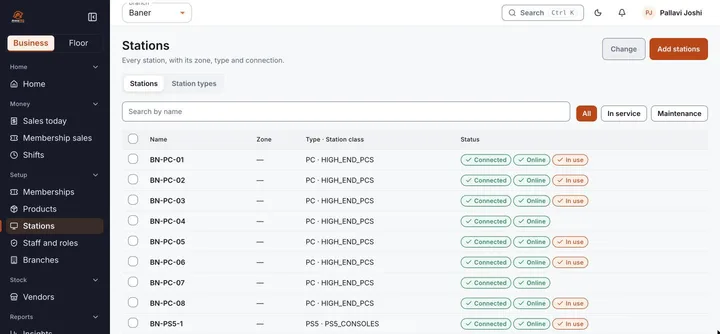
- Consoles are stations like PCs: started, timed and billed the same way.
- With the TV app the screen switches back at time-up; without it, staff end the session from the tile.
- Console sessions are in the same sales reports as the PCs.
How it works
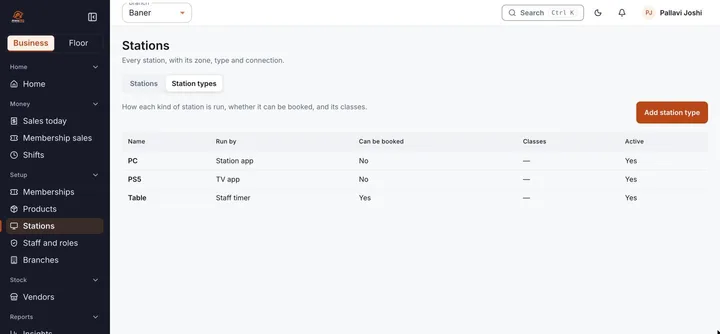
1. Add your consoles as stations in Setup, with the TV app or run by staff.
2. Start a session from the console's tile on the floor board.
3. Watch the time left on the tile and end or extend the session there.
A console tile on the floor board with its time left
What it runs on
The admin panel at the counter. Consoles with an Android TV can run the TV app; any other console is run by staff from the floor board.
Questions
- Do I need the TV app?
- No. A console without it is run by staff: they start and end the session from the floor board. The TV app adds the time on screen and the switch-back at time-up.
- Can a membership be used on a console?
- Yes. A membership is made for a station type and class, such as PS5, and plays on every station of it.
Related features
Try it in your own game zone, free for 14 days.
From ₹499 a month, plus GST
Free for 14 days. A card or UPI is needed to start. Cancel before day 15 and pay nothing.