See what you sold
In every Plan
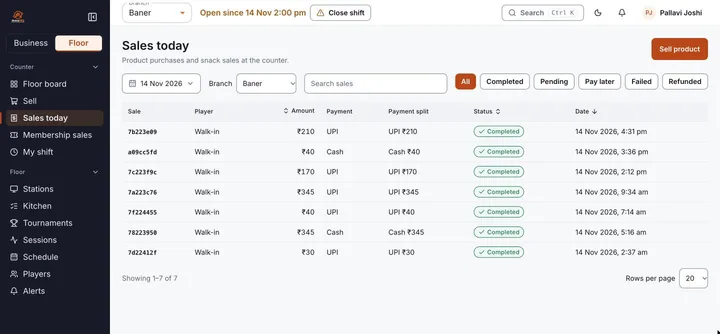
Every session, snack and membership sold is in the reports, by day, by item and by person.
From ₹499 a month, plus GST
Free for 14 days. A card or UPI is needed to start. Cancel before day 15 and pay nothing.
The problem
A notebook tells you the total, at best. It never tells you which snack sells, which hours are dead or who sold what.
How it helps
- Sales by day, by item and by person.
- Cash and UPI are split, so the drawer and the bank can be checked.
- Reports can be read on the Owner's phone.
How it works
1. Open Reports and choose a day or a range.
The date range picker on the sales report2. Read sales by item, by person and by payment.
3. Open a sale to see who made it and when.
A single sale with its items and payment
What it runs on
The admin panel in any browser and on the Owner's phone.
Questions
- Can counter staff see the reports?
- Reports are for the Owner and the manager. Counter staff see only their own shift.
- Can I download the numbers?
- Yes. Reports can be exported.
Related features
Try it in your own game zone, free for 14 days.
From ₹499 a month, plus GST
Free for 14 days. A card or UPI is needed to start. Cancel before day 15 and pay nothing.